Creating your account
Getting started takes about 2 minutes. No credit card required.
This guide covers signing up and finishing your practice setup:
Signing up
To create your account:
- Go to the home page and find the "Let's get you set up" card (or click Get Started anywhere on the site)
- Enter your first name, last name, and email address
- Enter your practice or organization name — this becomes your practice's name in the app (you can refine it later in practice settings)
- Click Start my free trial
- Check your email for a link to set your password — see Set your password
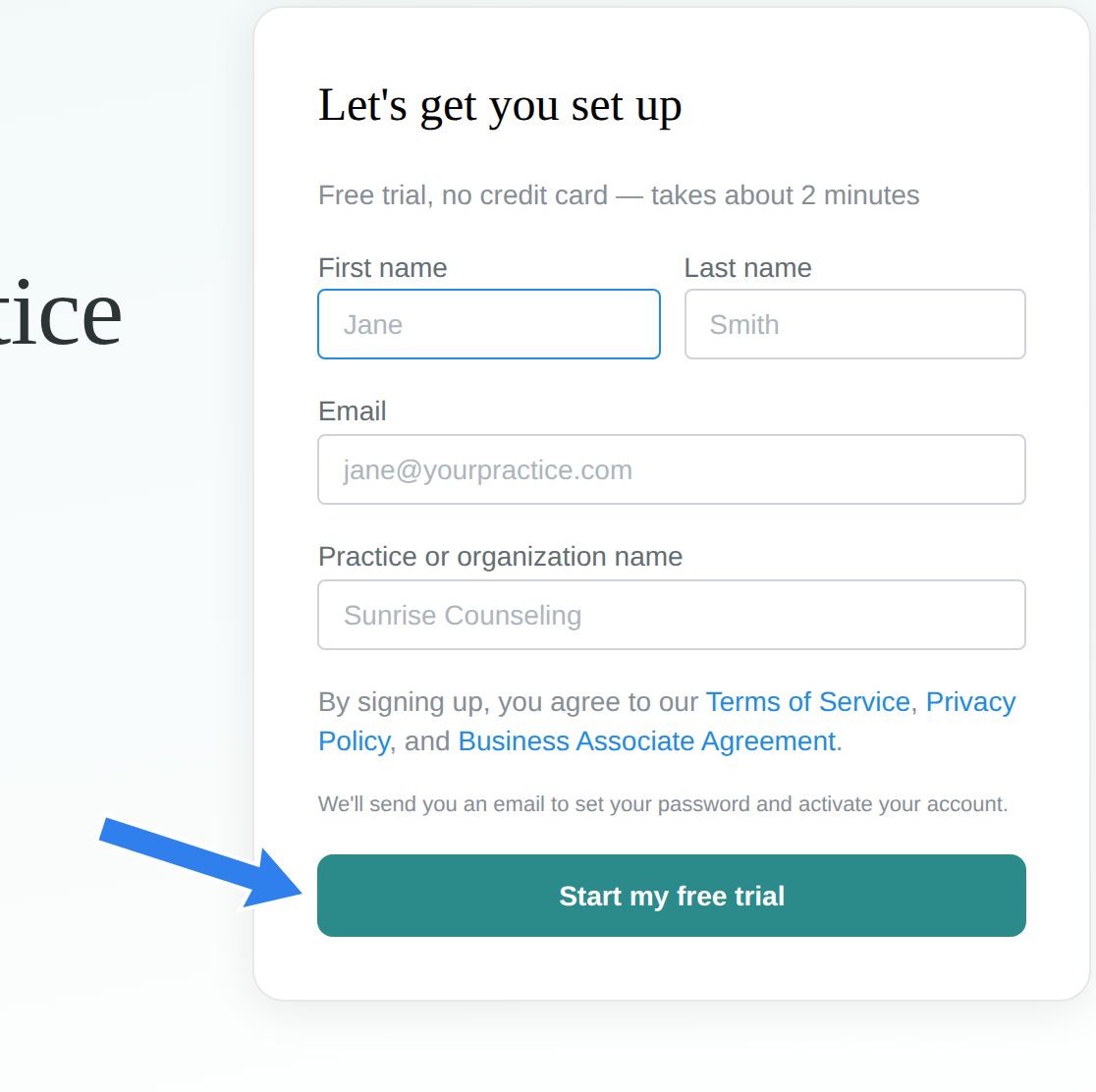
By signing up, you agree to our Terms of Service, Privacy Policy, and Business Associate Agreement (BAA) — the BAA is built into signup, so there's no extra compliance paperwork to chase.
Your first sign-in: the interactive tutorial
The first time you sign in, you land on a short interactive tutorial that walks you through the core of the product — a mini practice session demonstrating automated transcription and note generation, using a built-in sample client (so you can try recording before you've added any real clients).
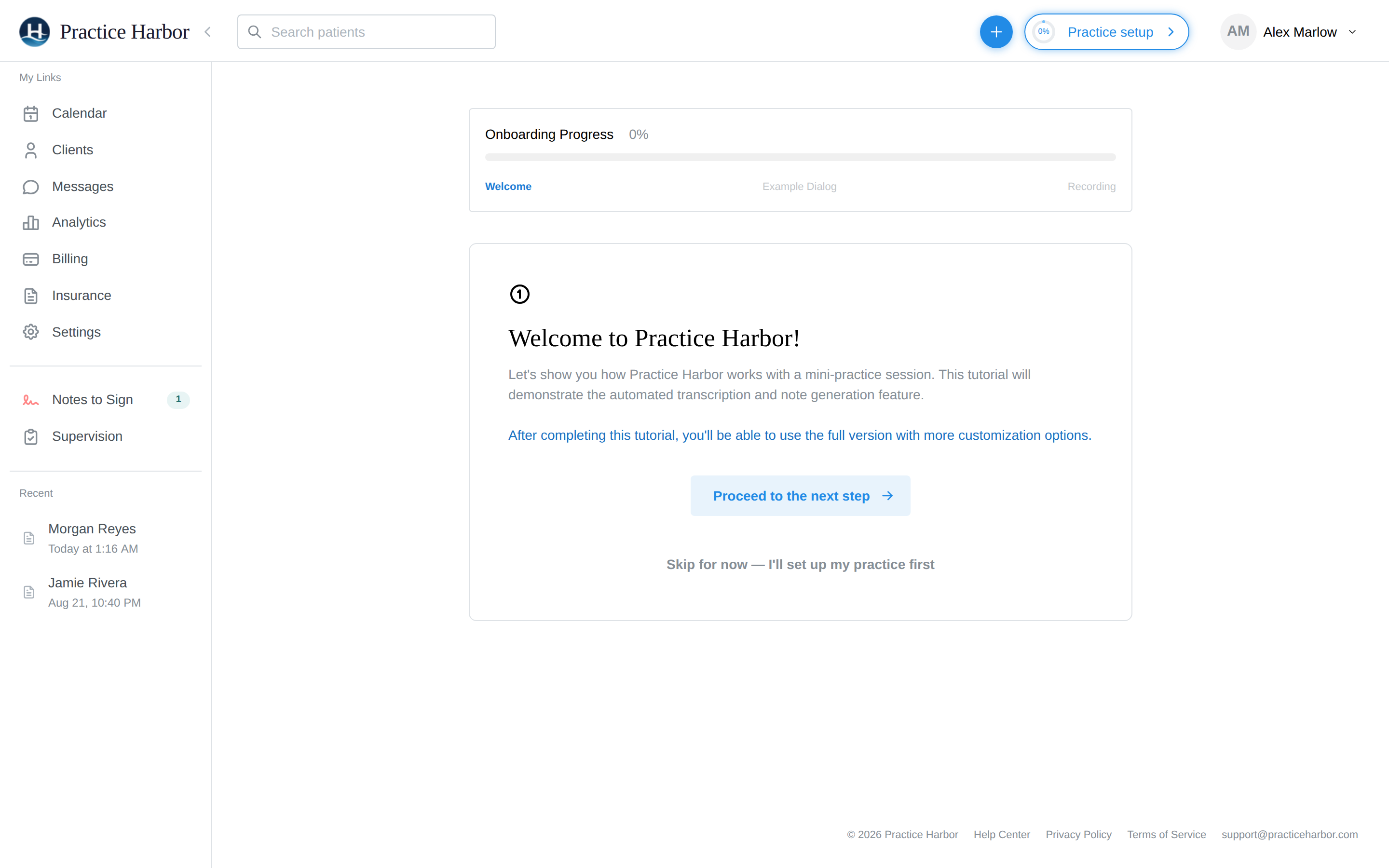
You can complete it in a couple of minutes — or click Skip for now — I'll set up my practice first to go straight to the app. Everything the tutorial demonstrates is covered in more depth in Your First Session.
Practice setup
After the tutorial, use the Practice setup button in the top bar to finish configuring your practice. It tracks your progress through five steps, and every step can be skipped and finished later:
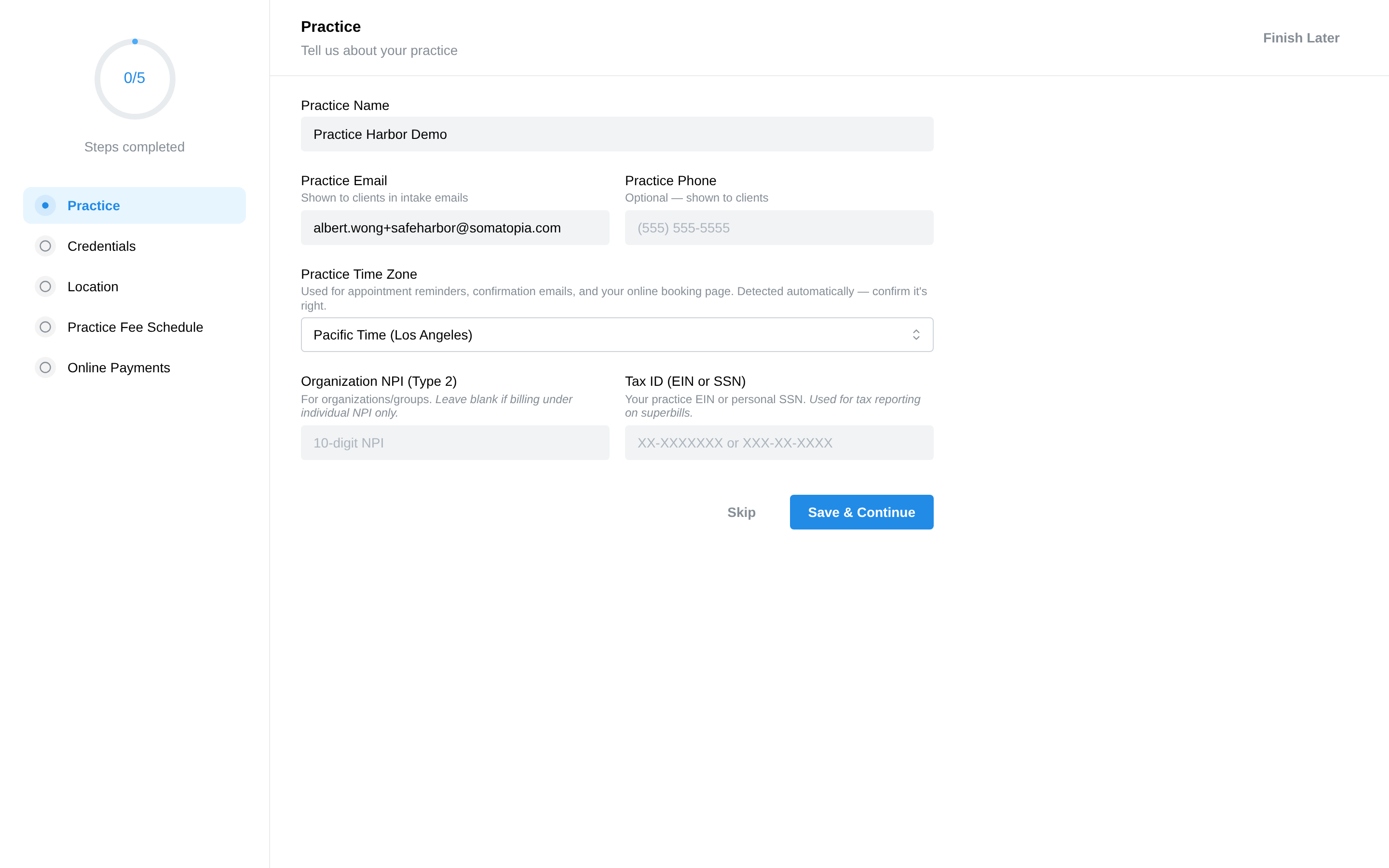
- Practice — practice name, the practice email shown to clients in intake emails, phone, and (for group practices billing under an organization) your Organization NPI (Type 2) and Tax ID (EIN or SSN, used for tax reporting on superbills)
- Credentials — your clinical credentials, license, and individual NPI
- Location — your office address
- Practice Fee Schedule — default rates for your services (these apply practice-wide; individual clinicians can have rate overrides)
- Online Payments — connect Stripe so clients can pay you online
You don't have to finish setup before exploring — click Finish Later any time and the progress ring in the top bar remembers where you left off.
What's included
Your account includes:
- Unlimited clients — no cap on how many clients you manage
- AI-powered notes — session transcription and note generation
- Telehealth — browser-based video sessions
- Scheduling — calendar with reminders and online booking
- Billing — invoices, superbills, and online payments
- Client portal — secure portal for your clients
- Intake forms — digital intake and consent forms
- Secure messaging — HIPAA-compliant provider-client messaging