Settings Reference
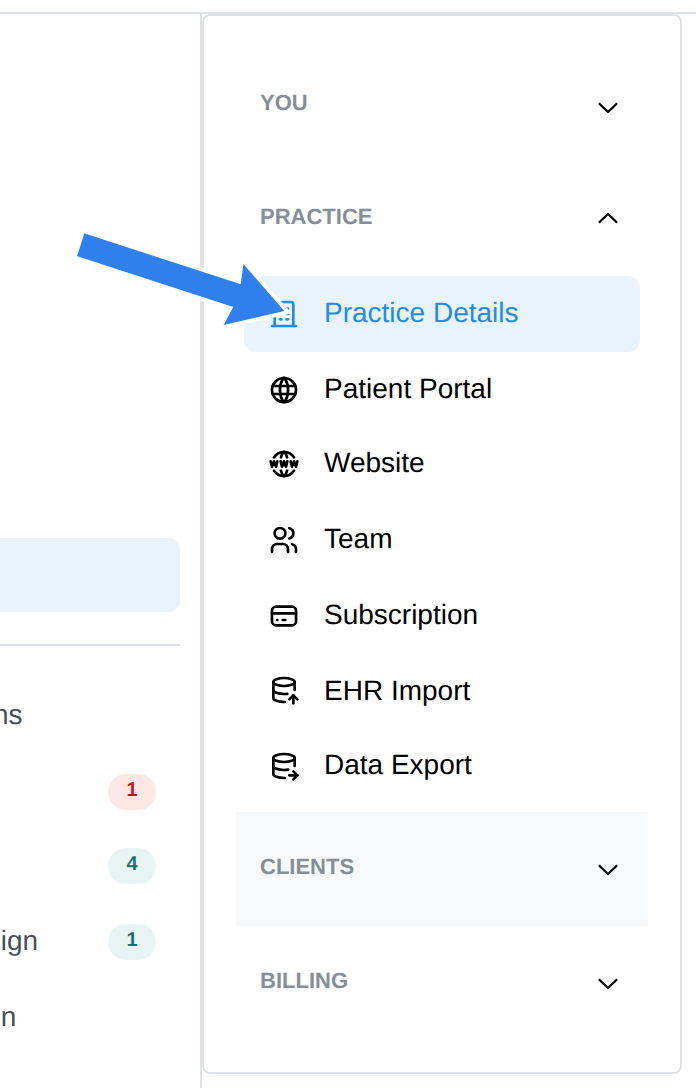
Settings is organized into four sections: You, Practice, Clients, and Billing. Click a section name in the Settings menu to open it. This is the complete map — each item links to the doc that covers it. What you see depends on your access level: the Practice, Clients, and Billing items are for the practice owner, practice managers, and (for Billing) billers.
You (your personal preferences)
| Setting | What it does |
|---|---|
| Profile | Name, contact, clinical credentials, licenses, NPI — Profile Settings |
| Note Preferences | Your default note template — Note Templates |
| Note Templates | The template gallery and your library — Note Templates |
| Calendar | Week start, timezone override, Google Calendar sync. The hours the Day and Week views show are set from the gear icon on the calendar, under Calendar preferences |
| Online Booking | Booking requests, session settings, and the state of your availability blocks — Online Booking |
| Video Link | Your personal video address for guests — Video Sessions |
| Widgets | Embeddable booking widgets for your website — Online Booking |
| My Rate Overrides | Your personal rates when they differ from the practice fee schedule |
| My Notifications | Which notifications you receive |
Practice (owner / practice manager)
| Setting | What it does |
|---|---|
| Practice Details | Name, contact, timezone, logo, locations — Practice Settings |
| Patient Portal | Portal URL and options — Client Portal |
| Website | Your practice website at your portal address — Practice Website |
| Team | Members, roles, supervision — Team |
| Subscription | Plan and billing — Subscription |
| EHR Import | Migrate data in — EHR Import |
| Data Export | Export client records — Data Export |
Clients
| Setting | What it does |
|---|---|
| Shareable Documents | Intake forms, consents, and other documents you send clients — Intake Forms |
| Prescreener | Screening questions prospective clients answer on your public booking page and contact form — Prescreener |
| Referral Sources | The list of places clients hear about you — Referral Sources |
| Client Notifications | Automated emails and reminders — Notifications & Reminders |
| Client Texts | SMS notification settings — Notifications & Reminders |
Billing
| Setting | What it does |
|---|---|
| Fee Schedule | Practice-wide default rates per CPT code — Services & Products |
| Products | Non-session items you sell — Services & Products |
| Invoicing | Invoice document settings — Invoices |
| Insurance & Superbills | Superbill settings and the Enable Insurance Features toggle — Insurance Overview |
| Payments | Online payment processing — Payment Collection |
| AutoPay | Automatic card charging — AutoPay |
| Payer Enrollment | Payer connections and ERAs (appears once insurance features are on) — Payer Enrollment |