Analytics dashboard
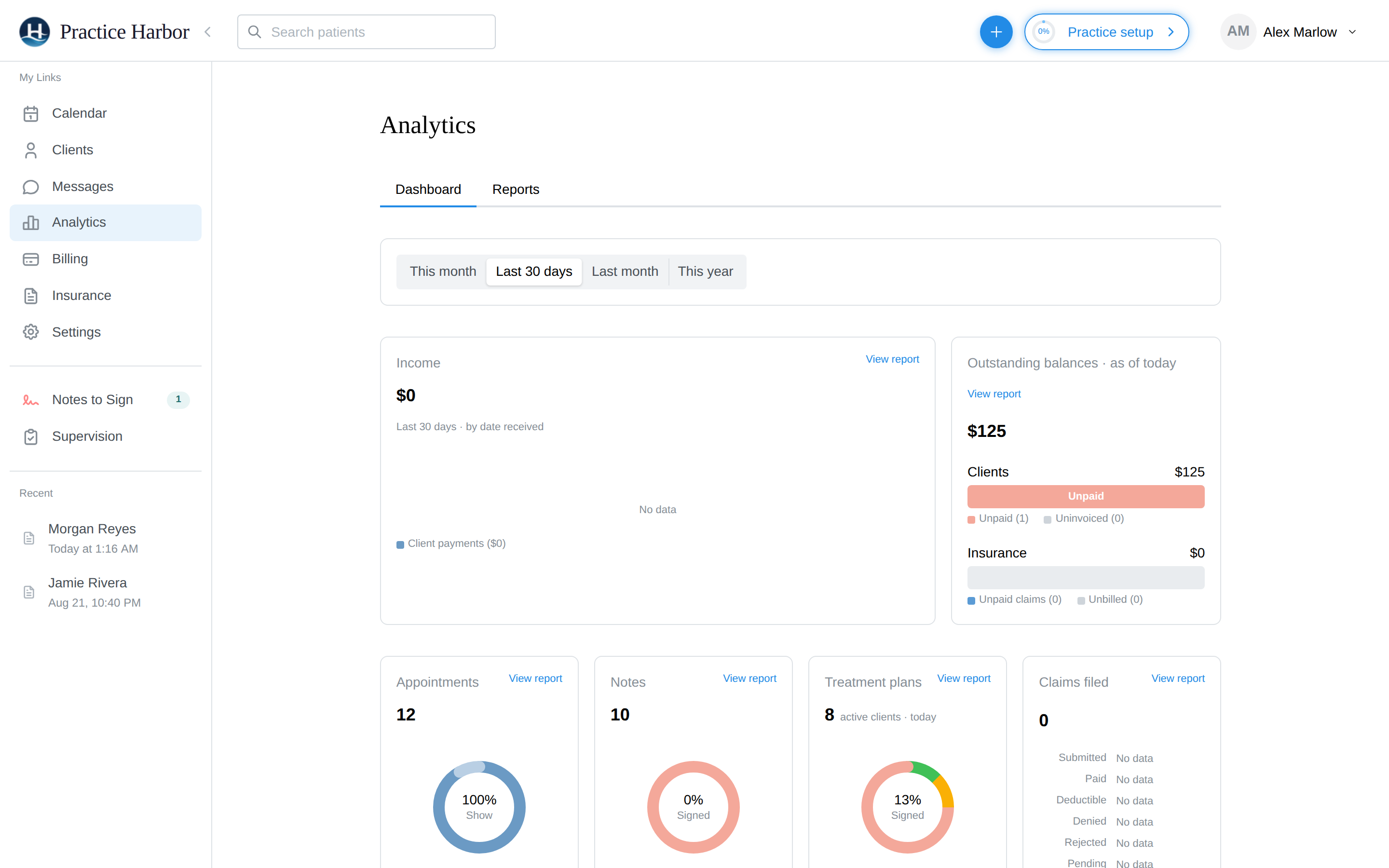
Analytics in the left navigation is your practice's vital signs. The Dashboard tab shows the headline numbers; the Reports tab holds the detailed reports.
In this guide, we'll cover:
Picking a period
The range selector at the top (This month / Last 30 days / Last month / This year) applies to the time-based cards. Balances are always as of today — a balance isn't a period statistic.
The cards
- Income — client payments received in the period, counted by date received (cash-basis: when the money arrived, not when the session happened)
- Outstanding balances (as of today) — money you're owed, split by who owes it:
- Clients: Unpaid (invoiced, not paid) and Uninvoiced (billable, no invoice yet)
- Insurance: Unpaid claims (filed, awaiting payment) and Unbilled (billable sessions with no claim yet)
- Appointments — appointment volume and status mix for the period
- Notes — documentation activity for the period
- Claims filed — with their submitted/paid progression
Every card links to its detailed report via View report.
Reading it like a bookkeeper
The two numbers to keep small are the Uninvoiced and Unbilled balances — both mean work you did but haven't asked to be paid for. The Billing Dashboard's Unbilled filter and the Insurance hub's Unbilled tab are where you clear them.