Good faith estimates
Under the No Surprises Act, every uninsured or self-pay client must receive a written Good Faith Estimate (GFE) of expected charges — and you must tell clients they have the right to one. The estimate doubles as a signed record of an agreed rate, which makes it the natural place to document a sliding-scale fee.
In this guide, we'll cover:
When you must provide one
- After scheduling: within 1 business day if the first session is 3+ business days out; within 3 business days if it's 10+ business days out.
- On request: within 3 business days — and any conversation about costs counts as a request.
- Recurring care: one estimate can cover ongoing sessions (it states the frequency and expected number) for up to 12 months. After that, issue a new one.
Creating and sharing an estimate
-
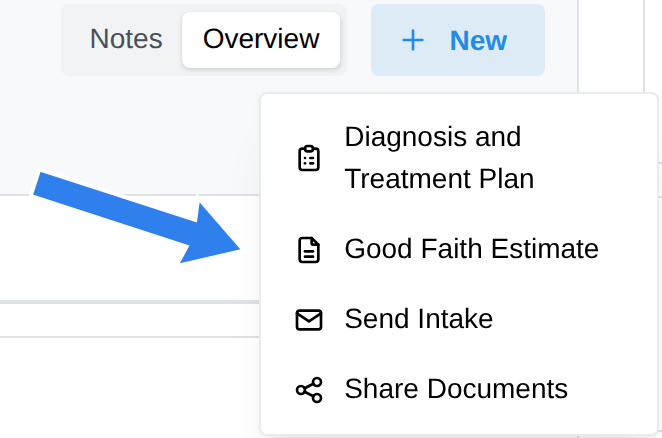
Open the client's profile page, click + New, and choose Good Faith Estimate, then New Good Faith Estimate.
-
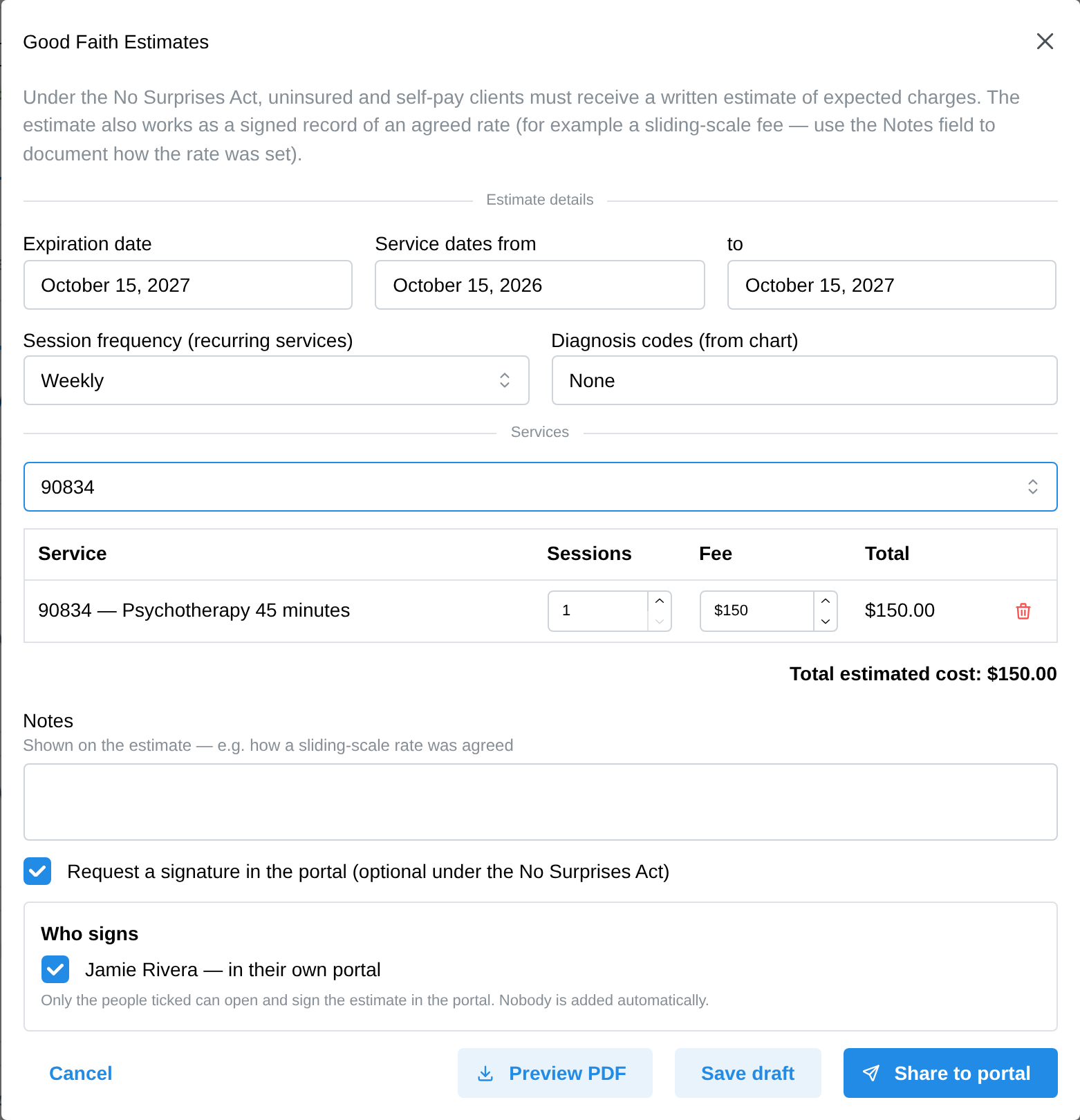
Check the prefilled details — your provider info (NPI/TIN) and the client's current diagnosis come in automatically (the most recent diagnosis set on the chart, not their whole history). No diagnosis yet is fine: the estimate prints "None", which is compliant for new clients.
-
Add your service(s). The fee prefills from the client's own rate — so a negotiated sliding-scale rate lands automatically — and you can adjust the fee and session count per row. Use Notes to record how a sliding-scale rate was agreed.
-
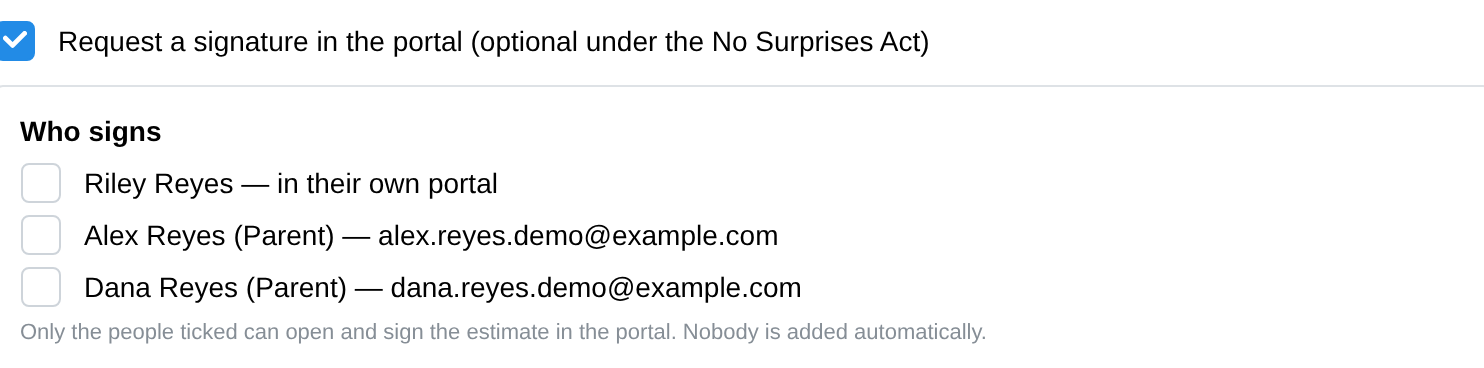
Decide who signs. With Request a signature in the portal ticked, a Who signs list appears: the client (in their own portal) and every contact on the chart who has an email. Tick each person who should be able to open and sign the estimate — nobody is ticked for you. A signature is optional under the law, but a signed copy is your record of the agreed fee.
-
Click Share to portal. The estimate (numbered GFE-####) appears in the client's portal under Billing & Payments → Good Faith Estimates, where they can download and print it. If you requested a signature, it also appears in the Documents list of each person you ticked, ready to review and sign.
The required federal disclaimer text (dispute rights, "this is an estimate, not a contract", and so on) is added automatically and can't be edited — that language is mandated.
Revising an estimate
- Drafts are editable freely.
- A shared but unsigned estimate can be revised: click Revise — the old estimate is withdrawn and your changes go out under a new GFE number.
- A signed estimate is locked permanently. Create a new estimate when fees change.
Good to know
- Your published practice website automatically carries the required No Surprises Act notice in its footer.
- Clients can dispute a bill that runs $400 or more above their estimate, within 120 days — keeping estimates realistic is the best protection.
- Estimates are part of the clinical record and stay available from the client's Billing tab.