Ask Cora AI
Ask Cora AI answers questions about a client from their entire record — every session note, assessment scores, medication history, and lab results — not just the most recent note. Ask the things you'd otherwise scroll for: "When did we last talk about her sister?", "Which medications has he already tried?", "What was the PHQ-9 trend this spring?"
In this guide, we'll cover:
Where to find it
- On the client's chart — click Ask Cora AI at the right end of the chart's tab bar to open the assistant in a side panel. It stays open while you move around the chart.
- While documenting — the Ask about this client... box in the Session Prep panel (opened with the Last Note button on the Live Session, Note Dictation, and Type a Note pages) is the same assistant, so you can check history during session prep without leaving the page.

Type a question in Ask about this client... and press Enter, or start with one of the suggestions: Catch me up on this client, Any patterns across recent sessions?, or Summarize the medication history.
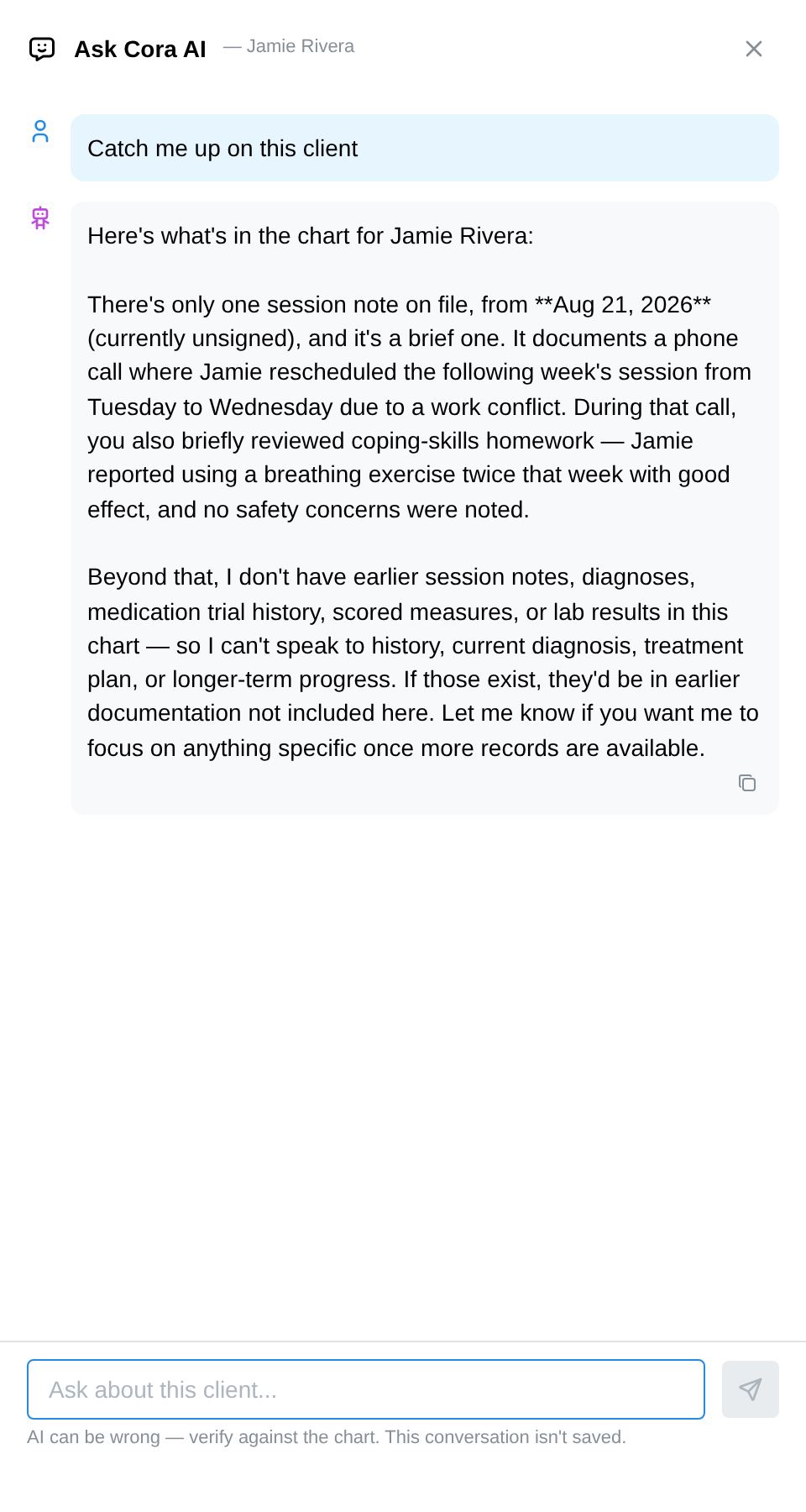
When an answer draws on a session note, it names the session date (for example, "In the May 3 session..."), so you can open that note and read the context yourself.
Asking good questions
Cora answers from what's in the record — it summarizes and locates, it doesn't diagnose or decide. It works best on questions with an answer somewhere in the chart:
- History: "when did we first discuss the custody arrangement?"
- Patterns: "how has sleep been across the last few sessions?"
- Facts: "what dose of sertraline was she on in March?"
On a chart with no session notes yet, Cora says so and offers a New note button rather than guessing — an answer can only be as good as the record behind it.
Each clinician has a daily allowance; a small counter appears under the question box as you near it and resets at midnight in your timezone.
Privacy: conversations are never saved
Cora conversations are ephemeral by design: nothing you ask, and nothing Cora answers, is stored anywhere. Close the panel and the conversation is gone. If an answer surfaces something worth keeping, copy it into a note yourself — the clinical record stays exactly what you've deliberately written, and there's no shadow transcript of your questions to produce later.
FAQ
Is Cora's answer part of the clinical record? No. Nothing becomes record unless you put it in a note. Treat answers as a fast index into your own documentation, and verify anything consequential against the cited session before acting on it.
Who can use it? Clinician seats, on their clients' charts. Non-clinical team members (practice managers, billers, schedulers) don't see Ask Cora AI — it reads the clinical record, which their roles don't access.
Does it see uploaded PDFs and outside records? Cora reads the chart's session notes and structured record (scores, medications, labs). Scanned documents that were never written into a note aren't part of what it can quote.
What happens when I hit the daily allowance? The box shows "Ask AI allowance reached" until it resets at midnight in your timezone. Some free-plan accounts also have a monthly Cora budget; when it's used up, the panel shows the date it resets.